 15 min read

TL;DR
- Once you mark a video as made for kids, you lose Super Chat, Super Stickers, Super Thanks, Channel Memberships, end screens, cards, comments, the notification bell, and personalized ads.
- You can still join the YouTube Partner Program, but ad revenue drops hard because only contextual (non-personalized) ads run.
- Expect roughly $1–3 RPM versus $5–15 for general-audience content.
- Your biggest earners in 2026 are brand deals with toy and edtech companies, content licensing to streaming services like Netflix and Amazon Kids+, and 24/7 pre-recorded live streams that turn your existing catalogue into ongoing income. Merch through Shopify and digital products fill out the rest of the stack.
Understanding YouTube's policies for kids channels
YouTube enforces tight rules on advertising and engagement inside content marked made for kids. The whole framework exists to comply with the Children's Online Privacy Protection Act (COPPA), a U.S. federal law that bans collecting personal data from children under 13 without verifiable parental consent. So on any channel or video flagged this way:
- Personalized advertising based on cookies, viewing history, or behavioural signals is off. Only contextual ads tied to the video's topic can serve.
- Ads for alcohol, gambling, medications, dating, or weight loss can't run at all.
- Everything that does serve must comply with COPPA and YouTube's own ad policies for children's content.
- You're legally responsible for the designation, even when YouTube's classifier flags the content first.
Content qualifies as made for kids when it's primarily directed at children under 13. YouTube uses a mix of algorithmic classifiers and human review, and you're required to self-designate during upload. What it actually looks at:
- Subject matter like toys, cartoon characters, nursery rhymes, age-appropriate animation, basic educational themes.
- Voiceover and language pitched at young viewers.
- Child actors or animated characters as the main on-screen figures.
- Use of children's songs, games, or storytelling formats.
The penalties have real teeth. On 16 January 2025 the FTC finalized the first major COPPA Rule update since 2013. It now requires separate parental opt-in for targeted advertising, adds formal data security obligations, and limits how long children's data can be retained. The maximum civil penalty per COPPA violation went up to $53,088 in 2025 (it's adjusted annually for inflation), and the FTC has flagged that it intends to enforce hard. YouTube's own $170 million settlement with the FTC and the New York Attorney General is still the reference point for how bad things can get.
What's actually disabled on made for kids content
A lot of guides still list tactics that YouTube switched off years ago. Here's where things actually stand in 2026:
| Feature | Available? | Feature | Available? |
|---|---|---|---|
| Personalized advertising | ❌ | Notification bell | ❌ |
| Super Chat | ❌ | Community posts | ❌ |
| Super Stickers | ❌ | Merch shelf (YouTube-native) | ❌ |
| Super Thanks | ❌ | Save to playlist / Watch Later | ❌ |
| Channel Memberships | ❌ | Miniplayer playback | ❌ |
| End screens | ❌ | Contextual (non-personalized) ads | ✔️ |
| Info cards | ❌ | Custom thumbnails | ✔️ |
| Comments | ❌ | YouTube Partner Program eligibility | ✔️ |
| Live chat and live chat donations | ❌ | External brand integrations inside the video | ✔️ |
Pattern's pretty consistent. Anything that needs a persistent user identifier or personalized engagement gets switched off. Anything that runs purely on the video itself stays on. This is also why one channel-wide misclassification can quietly kill revenue on videos that were never aimed at kids in the first place. Worth auditing if your channel mixes audiences.
Monetization strategies for YouTube kids channels
With the restrictions clear, let's walk through how the income stack actually works for a made for kids channel right now.
YouTube Partner Program (with realistic expectations)
Joining the YouTube Partner Program still requires hitting one of two thresholds. The standard one is 1,000 subscribers plus 4,000 valid public watch hours in the last 12 months, or 10 million Shorts views in 90 days. The earlier-access tier asks for 500 subscribers, 3 valid public uploads in the last 90 days, and either 3,000 watch hours or 3 million Shorts views. You also need two-factor authentication, no active strikes, an AdSense account, and submitted tax info.
For kids channels, the trap kicks in after you're accepted. Personalized ads are off, so only contextual ads can run, and those pay roughly 50–80% less per impression than personalized ads on general-audience content. In practice, most made for kids channels land at $1–3 RPM, compared to $5–15 for typical general content and $10–40 for higher-paying niches like finance or tech. Educational toys, STEM, and learning apps tend to sit closer to the top of the kids range because the parent audience converts well. The strategic takeaway: scale matters far more for kids than for adult content. Meaningful AdSense income on a kids channel usually starts at hundreds of millions of monthly views, not single-digit millions.
Brand partnerships and sponsorships
For most successful kids channels, brand deals are the single biggest revenue line. The logic is simple: a sponsorship is negotiated and paid outside YouTube's ad system, so COPPA's ban on personalized targeting doesn't lower what a brand is willing to pay you. Toy companies, children's book publishers, edtech apps, family streaming services, snack brands — they all run year-round influencer programmes aimed at kids creators.
Industry benchmarks from recent sponsorship reports put kids-and-family content roughly in the $3–8 CPM range for sponsored integrations, with premium educational and toy-review niches pushing higher when the product fits the channel cleanly. Channels in the 10K–100K subscriber range close deals routinely. You don't need to be Ryan's World or Cocomelon to land on a brand's radar. To approach this seriously:
- Build a media kit covering audience demographics, view averages, retention, and parent-versus-child viewer breakdown.
- Pick brands whose product the audience actually uses, like STEM kits, board games, educational apps, kids' literature.
- Weave the product into the story or activity. Don't bolt it on as a standalone ad block. Parents tolerate sponsorships that feel native and tune out (or complain about) plugs that don't.
- Disclose any paid promotion clearly in the video and the description. Both the FTC and YouTube require this, and undisclosed integrations on kids content are a fast track to enforcement action.
Content licensing to streaming platforms
Licensing is one of the most underused income streams for kids creators. Streaming services that build dedicated children's libraries pay flat fees or revenue shares to license existing kids content. Think Netflix, Amazon Kids+, Tubi Kids, Pluto TV Kids, regional carriers, and in-flight entertainment systems. A well-produced library of episodes can be sold once and keep earning for years afterwards.
Most licensing goes through specialised distributors like Moonbug, WildBrain Spark, Pocket.watch, or Hopster rather than direct contracts. Their criteria are predictable: clean rights, broadcast-quality audio and video, episodes structured into recognisable series with consistent characters or hosts, and content that holds up outside the YouTube algorithm. Channels that license successfully usually plan their catalogue from day one with this in mind.
24/7 live streams from your existing catalogue
Here's a tactic that's quietly become one of the strongest revenue plays for kids channels, and one most guides still miss. Instead of just uploading new episodes, you take your existing back catalogue (nursery rhymes, animated shorts, learning videos, story compilations) and run it as a continuous live stream on YouTube. The audience drops in at any hour, watches in long sessions, and the algorithm rewards the channel with the kind of retention that regular videos rarely hit.
This works for kids content specifically because of three things. First, evergreen demand: a five-year-old looking for nursery rhymes at 7am doesn't care whether the video was uploaded yesterday or two years ago. Second, background viewing: parents leave kids content running for long stretches, so session length on a live stream stacks up fast. Third, RPM: live streams attract longer watch sessions, and longer watch sessions earn higher RPM than short-format video on the same channel. On a made for kids channel where AdSense is already squeezed by contextual-only ads, that retention boost translates directly into income.
The catch is production. Running a true 24/7 stream by hand means keeping a feed live around the clock, which isn't realistic for a solo creator or a small team. The standard solution is to use a tool like Gyre, which broadcasts pre-recorded video as a live stream on YouTube, Twitch, Kick, and similar platforms. You build a playlist of existing episodes, schedule the stream, and Gyre handles the continuous broadcast. No re-uploading, no duplicate-content flags, no infrastructure on your side. (Live chat stays disabled under made for kids, but that's fine here — the stream works as a passive viewing surface, which is what parents actually want.)
Two Gyre case studies on Kids & Teens channels give a concrete sense of the numbers. A 4M-subscriber Kids & Teens channel stopped releasing new content after a team change and ran 76 pre-recorded streams over 90 days instead. Streams pulled 11.3% of views but 80.3% of total channel revenue, with a stream RPM of $1.27 against a video RPM of $0.35 — roughly 3.6× higher. Average watch time on streams was 3:21 versus 2:32 on regular video. A separate case on the 49M-subscriber DONA English channel ran 95 streams over the same period alongside regular uploads. Streams generated 50.9% of revenue from a quarter of the content volume, RPM jumped to $0.87 (about 2× video RPM), and average view duration on streams hit 10:38 — six times higher than the channel's 1:40 on regular video.
The practical takeaway: if you already have a kids catalogue, looping it as 24/7 streams is one of the few moves that meaningfully bumps RPM on a made for kids channel without changing what you produce.
Merchandise via Shopify or print-on-demand
YouTube's native merch shelf is off on made for kids channels, so sales have to happen elsewhere. The standard setup right now is a Shopify store, or a print-on-demand partner like Printful or Printify, linked from the channel description and end-of-video voice prompts. Kids merch that actually converts tends to be character-led: plush versions of your host character, themed apparel, sticker packs, activity books, themed birthday-party kits.
Start with a small range of three or four hero products, price for parents to buy rather than kids to impulse-grab, and lean on the family-shopping window before back-to-school and December.
Crowdfunding and parent-facing memberships
Channel Memberships are off on made for kids content, so YouTube-native paid tiers aren't an option. The workaround is moving that membership relationship off-platform. Patreon, Ko-fi, or Buy Me a Coffee all work for parents who want to support the channel, with rewards like ad-free downloads, printable activity sheets, early access to new episodes, or seasonal craft packs. Framing matters here: your offer has to be aimed at the parent paying, never the child. Both YouTube and the FTC treat solicitations directed at children as a serious violation.
Mentioning supporters by name in episodes (with parental permission) is the standard acknowledgement format. An occasional "what your support paid for" segment, like a new microphone, an animator hired, or a set rebuild, keeps the relationship transparent without feeling salesy.
Affiliate marketing
Affiliate links in the video description can top up other income, especially for review or unboxing channels. Amazon Associates is the default for product-heavy content, with niche programmes like ShareASale, CJ Affiliate, and direct partnerships with toy and book retailers layered on top. Compliance points are non-negotiable on kids content:
- Spell out the affiliate relationship in the description. "This video contains affiliate links" works fine.
- Direct purchasing language at parents, not kids. "Ask your grown-up to check the link" is the standard phrasing.
- Use Bitly or UTM tags to track which products actually convert, so you can tighten your catalogue over time.
- Keep the review honest. Pros, cons, age suitability. Channels that endorse every product they receive lose parent trust quickly, and parent trust is the whole asset.
Educational products and apps
Selling your own digital product converts well once the channel has built authority in a specific learning area like phonics, early maths, languages, or music. Printable worksheets, story bundles, learning apps, mini-courses all work. To pull this off:
- Listen for recurring requests from parents in DMs, off-platform community, or email.
- Start with one small, focused product rather than a full curriculum.
- Bring in qualified collaborators like teachers, child psychologists, or developers if you're building an app. They lift both quality and marketing credibility.
- Beta-test with a small group of parents and iterate before going public.
- Offer one free sample (a worksheet, a lesson) so parents can try before they buy.
Adapting to regulatory changes in 2026
Two regulatory shifts matter for kids creators through the rest of this year.
First, the updated COPPA Rule finalized in January 2025 is now in full force. It requires separate parental opt-in for targeted advertising and third-party data sharing, adds formal data-security obligations, and tightens definitions of what counts as "directed to children." Practically, this means the platform-level guardrails on made for kids content aren't going to loosen. If anything, expect YouTube to expand the disabled-features list rather than restore any.
Second, YouTube's AI-generated content disclosure policy, introduced in November 2023 and fully enforced from May 2025, makes you flag realistic altered or synthetic content during upload using the "altered content" toggle in YouTube Studio. This hits kids channels especially hard because AI voiceovers, AI-generated animation, and synthetic characters have become standard production tools. Skip the disclosure on realistic synthetic content and you can trigger demonetization, YPP suspension, or removal. Clearly unrealistic animation and standard production-assist uses of AI (script drafting, colour correction, background removal) don't need a disclosure.
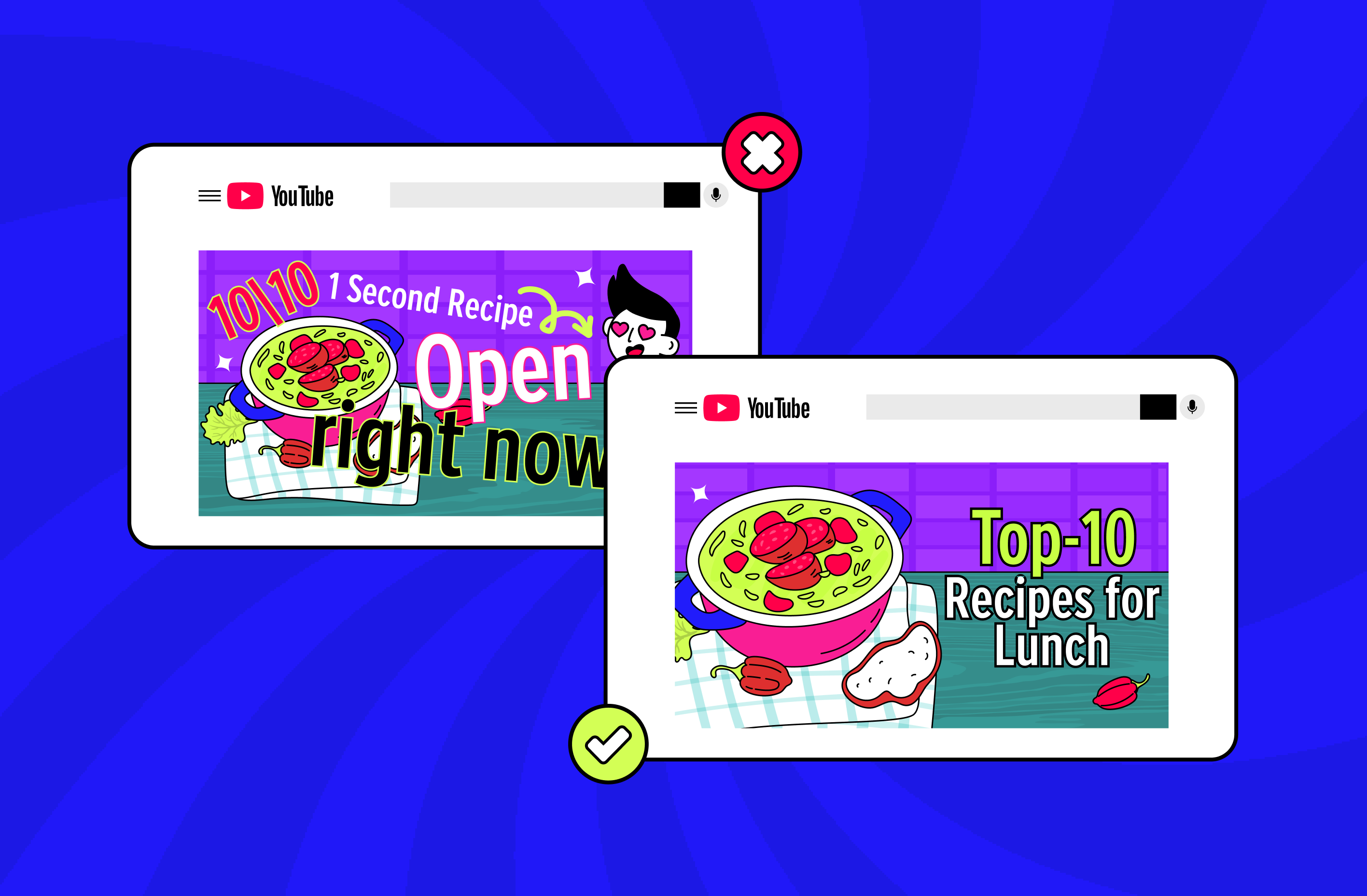
Beyond the platform itself, keep one eye on YouTube Kids algorithm dynamics. The YouTube Kids app uses a separate recommendation system from the main app, with much more conservative content gating. A channel that performs well on the main app can fail to surface inside YouTube Kids if its metadata, thumbnails, or pacing don't pass the stricter screens. If reaching the YouTube Kids audience is part of your strategy, optimise titles and thumbnails for both environments rather than assuming one approach works everywhere.
Key takeaways
A YouTube kids channel in 2026 is a different business from a general-audience channel. Fewer monetization features, lower ad rates, stricter compliance. But the audience side is enormous, brand demand stays steady, and there are still plenty of ways to build a healthy income stack if you treat the made for kids restrictions as a given and design around them. The five things to hold onto:
- Marking content as made for kids turns off Super Chat, Super Stickers, Super Thanks, Channel Memberships, end screens, cards, comments, and personalized ads. Build around this from day one.
- Kids channels typically earn $1–3 RPM on AdSense versus $5–15 on general content, because only contextual ads can serve.
- COPPA violations can trigger FTC enforcement action. You're responsible regardless of intent, and the per-violation civil penalty hit $53,088 in 2025.
- Brand deals, content licensing, and 24/7 pre-recorded live streams are the most lucrative paths for kids creators right now. Streams in particular sit on top of your existing catalogue — no new shoots required — and case data shows them pulling 50–80% of channel revenue when set up well.
- YouTube Kids and the main YouTube app use separate recommendation algorithms. Optimise for both if you want full reach.
Get the regulatory side right, build the income stack around what still works, and the rest is craft. For more on growing and monetizing channels across formats, see our blog.
FAQ
Can I use Super Chat on a kids channel?
No. Super Chat, Super Stickers, Super Thanks, and Channel Memberships are all off on content marked made for kids. It's a platform-level restriction tied to COPPA compliance, and you can't switch it back on.
What is the RPM for YouTube kids channels?
Kids channels typically earn $1–3 per 1,000 views because personalized ads are disabled and only contextual ads can serve. For comparison, gaming channels usually pull $5–12 RPM and finance channels can reach $20–40.
Do I have to mark my videos as made for kids?
If your content is directed at children under 13, COPPA requires you to designate it as made for kids. YouTube's classifier may also override your self-designation if it picks up child-directed signals. Mislabel in either direction, and you can end up with channel-level action.
What's the best way to monetize a kids channel in 2026?
For most established kids channels, the highest-earning combination is brand deals with toy or education companies, content licensing to streaming platforms (Netflix, Amazon Kids+, regional kids services), and 24/7 pre-recorded live streams built from your existing catalogue. AdSense, Shopify merch, affiliate links, and digital products fill out the stack.