14 min read

TL;DR
- Gyre streams pre-recorded video as live on YouTube, Twitch, Facebook, Instagram, X, Kick, and MixCloud.
- The stream runs from Gyre's cloud, so you can turn your computer off and the broadcast keeps going without interruption.
- The PRO+ plan supports up to 8 simultaneous continuous streams in Full HD 60fps, or up to 2 in 4K.
- Gyre sends a standard RTMP signal, so YouTube treats a continuous stream like a regular live broadcast: it lands in the Live tab, is eligible for monetization, and enters recommendations.
- You can try the service free for 7 days with full access to its features.
All you need is your videos, a computer, and internet access. A continuous stream is a universal tool that lets you reach your goals no matter the size of your channel or the topic of your content.
What Is Gyre?
Gyre is a cloud-based service for creating and launching continuous streams. A continuous stream is a broadcast whose video files play nonstop, 24/7, creating an endless video feed.
A continuous stream is built on pre-recorded content: this can be your older videos, or content you've specifically filmed and edited for the broadcast. Most often, our users reuse content already sitting on their channel, giving it a new life.
If you think you've never seen a continuous stream, you're wrong.
You've almost certainly seen one on YouTube. These are the broadcasts that sit on channels around the clock with no host, yet still pull in plenty of active viewers. With Gyre, you can run as many such streams on your channel as you like.
The service's original functionality only covered YouTube, but today we let users run endless 24/7 streams on Twitch, Facebook, Instagram, X, and Kick as well, plus MixCloud. That means Gyre users can reach their target audience and engage with it on other popular platforms too.
What Platforms Does Gyre Work With?
Gyre streams pre-recorded video as live on YouTube and on any platform that accepts a standard RTMP signal (Real-Time Messaging Protocol — the protocol that carries a video feed to a platform's server so it displays as a live broadcast). Besides YouTube, Gyre currently supports Twitch, Facebook, Instagram, X, and Kick, plus MixCloud for audio and music streams.
Launching a stream only takes an RTMP key (a stream key) issued by the destination platform itself in its live-broadcast settings. The same principle applies to desktop encoders like OBS Studio: the only difference is that Gyre receives and forwards the stream from its own server, so your computer plays no part in the broadcast itself.
For more on how pre-recorded streaming is built across different tools, and how Gyre differs from the alternatives, see our review of the 10 best software tools for streaming from pre-recorded videos in 2026.
What Are the Benefits of Streaming Pre-Recorded Video as Live?
Beyond a nonstop 24/7 broadcast, streaming pre-recorded video as live gives you two more growth tools: thumbnail and title A/B testing, and time zone scheduling.
Thumbnail and title A/B testing. YouTube Studio's Test & Compare feature lets you upload up to three thumbnail variants for a single video, and the service picks a winner based on watched-time share. The same logic works for continuous-stream previews: testing cover images and titles in sequence quickly shows which variant holds your specific audience best. For more on the mechanics of this kind of testing, see our guide to creating a YouTube thumbnail in Canva.
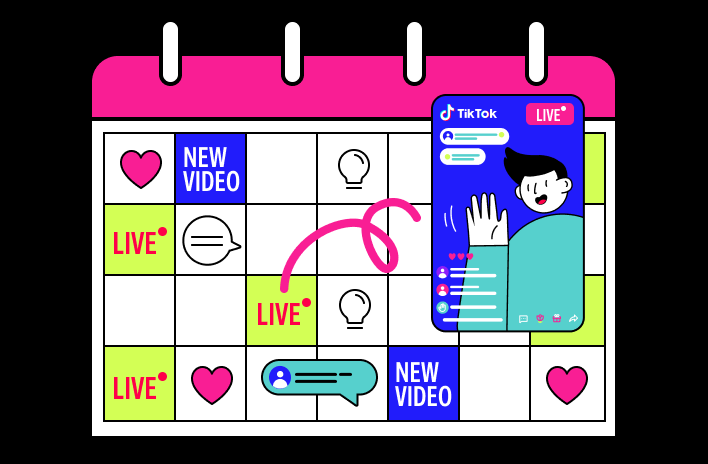
Time zone scheduling. On the Start+ and PRO+ plans, Gyre gives you a stream calendar where you can set the exact day and time a continuous stream starts and ends, in advance. That lets you line a broadcast up with your audience's peak hours in the right time zone, without sitting at your screen at the moment the stream starts or stops.
Why Create a Stream From Already-Filmed Videos?
First, none of your subscribers has seen every video on your channel.
So you can safely add any older video to a continuous stream and show it to your audience again (as long as it's still relevant).
Second, as a channel grows, older videos statistically lose out to newer content, but you can still reuse them to attract new viewers.
Third, viewers pick streams over regular videos more often, and YouTube itself ranks streams higher.
A continuous stream holds a viewer far longer than a regular video, and average view duration (AVD) feeds directly into RPM: the longer someone stays on a broadcast, the more ad slots it can serve. YouTube factors this in at the channel level, so long watch times on the stream lift the average numbers across the rest of your videos too.
Every active stream is also its own entry point for traffic to your channel: through search, through recommendations, through the Live tab. Instead of one source of new viewers (your channel's homepage), you get as many entry points as you have streams running.
There's a nuance worth knowing here: you can't upload the same video to a channel several times under different titles and thumbnails. YouTube won't allow it. But launching dozens of separate live broadcasts with different playlists, titles, and thumbnails, built from the same video archive, works without a problem.
The same promotion tools that apply to a regular live stream apply to continuous streams too: title, thumbnail, tags, pinned comment. The only difference is you don't need to be present at every one of them at the same time.
Fourth, you get more time, both to rest and to create new content.
While a continuous stream keeps up activity and protects your channel from a statistics dip, you have time for whatever matters to you.
Fifth, constant activity on the channel.
24/7 live streams generate new traffic for your channel nonstop. We've also noticed the same magic happening in the comments of continuous streams as on regular live broadcasts: viewers start talking to each other, swapping thoughts and impressions.
How Safe Is It to Launch Continuous Streams?
Yes, it's safe. There's nothing illegal about launching a continuous stream.
Do you run regular live streams? These are the same broadcasts, just running much longer and bringing in more revenue.
Using older videos for a continuous stream is not the same as duplicating content.
You don't re-upload video files to the channel; you only stream them on a loop. Once the stream ends, it doesn't stay on the channel, and you can stop or delete it at any time.
Gyre is a certified YouTube tool: the service is listed in YouTube's official Services Directory and named in Google's support page on software encoders for live streaming. That means the platform has vetted the service, and it works within the rules rather than around them.
The stream runs from your personal Gyre server, where you've already uploaded your videos. To launch a continuous stream, you only need a stream key, which handles delivery to your chosen platform.
Social networks and video-hosting sites offer live-broadcast functionality and support cooperation with external services.
Gyre works within the requirements of every platform it lets users run continuous streams on. It doesn't violate the policies of video-hosting sites or social networks, and it doesn't try to hack or game algorithms, views, or subscriber counts.
How Do Continuous Streams Affect a YouTube Channel's Growth?
Gyre streams are a win-win way to improve your channel's performance and make the most of all the content you already have.
A continuous stream lets you:
- Attract new traffic to the channel.
- Accelerate channel growth and win new subscribers.
- Increase channel revenue.
- Promote and monetize content you've already created.
What's the Difference Between a Continuous Stream and a Regular Live Stream?
Preparation and how involved the creator needs to be: A live stream means talking to your audience in real time and being on camera. A continuous stream is built from clips prepared in advance, which you can restart on a loop as many times as you want.
Content: a continuous stream needs videos you've already filmed; a new live stream needs new material. You can restart a continuous stream any number of times, reusing the same content.
Duration: a live stream can't run continuously for days, but a continuous stream can, whether that's days, weeks, or months.
Versatility: the live format doesn't suit every topic, and speaking to an audience in real time can feel a little intimidating.
Equipment and internet connection: a stable, uninterrupted live stream needs a reliable internet connection for the whole broadcast. A continuous stream can be launched from any device.
Number of streams: even one live stream takes plenty of time to prepare, both content and equipment. Planning to stream the same broadcast to different platforms? That's a lot of extra work.
A continuous stream is a different story: your channel can run as many as 8 of them. You can also stream the same broadcast to different platforms and multiply your channel's statistics many times over.
24/7 streaming has plenty of other advantages. You can spend time on what you love, or on scaling your YouTube channel, while your content keeps working for you.
How Does Gyre Help a YouTube Channel Creator or Owner?
Every creator has their own plans for growing a channel. Alongside those plans, there's often fear that can hold you back: fear of a drop in channel activity, of running out of ideas for new content, of burning out.
Beyond its effect on channel metrics, a continuous stream serves one more function: it works as a traffic conduit inside the channel itself. Viewers who land on a 24/7 broadcast see links to your new videos and click through. So the stream doesn't just exist on its own; it drives the rest of your channel's content too.
What Channels Suit Continuous Streams?
At this stage, the vast majority of our users are YouTubers: international media companies, million-subscriber channels, and beginner creators alike. Every channel is different, but the goals are similar.
Gyre's users include gaming creators, music channels, travel blogs, beauty channels, entertainment, cooking, education, and science content. Self-coaches, kids' content creators, charities, and technical or automotive experts are also on board.
The topic and subscriber count of your channel really don't matter. At any stage of your YouTube channel's or social media account's life, a stream will do its job.
Promoting social media with streams is also easier. You'll be first in the user's feed, and you'll be able to constantly reinforce your brand image and build the impression you want with your audience by streaming your chosen content.
For large channels, continuous streams guarantee steady activity and growth in the channel's key metrics.
What If I Run a Continuous Stream on Instagram?
Continuous streams work just as well on Instagram as they do on YouTube.
Continuous streams are close to a must-have on Instagram. That includes eCommerce pages, musicians' and travel creators' pages, and general creative accounts.
Your followers will see your stream in their feed first, before other users' stories. You can constantly showcase current offers or seasonal-discount videos for your existing and potential subscribers. Streams work as a traffic generator for your page, and you'll keep building and maintaining brand recognition in your category the whole time. There are plenty more advantages, and the cost of launching a continuous stream is far lower than paid promotion.
How Much Does Gyre Cost and How Is It Different From Competitors?
Gyre's paid plans run from $49 to $169 a month, plus a free 7-day trial. Compared to other services for launching continuous streams from pre-recorded video, Gyre stands out for native 24/7 looping with no duration limit, up to 8 simultaneous streams on the PRO+ plan, and full interface localization into multiple languages.
Plans are flexible and depend on the number of simultaneous streams and the amount of storage you need. Current prices as of August 2026 are on the Gyre pricing page, and a basic comparison of the free and paid plans is in the table below.
| Feature | Free plan (Free Trial, 7 days) | Paid plans (Start — PRO+) |
|---|---|---|
| Platforms | YouTube, Twitch, Facebook, Instagram, X, Kick, MixCloud | YouTube, Twitch, Facebook, Instagram, X, Kick, MixCloud |
| Simultaneous streams | 1 (Full HD 30fps) | From 1 Full HD 60fps on Start up to 8 Full HD 60fps (or 2 in 4K) on PRO+ |
| Storage | 20 GB, up to 15 files | From 35 GB on Start up to 150 GB on PRO+ |
| Gyre Video Converter | + | + |
| Playlists and stream calendar | + | Available on Start+ and PRO+ |
| Gyre watermark on the stream | Yes | No |
How Do I Launch a 24/7 Live Stream With Gyre?
Launching a continuous stream with Gyre takes 8 steps, from picking a plan to connecting your channel: the process needs minimal effort and time once your content is ready.
- Choose a plan on the Gyre website — you can start with the 7-day free trial and move to a paid plan later.
- This takes you into your personal Gyre account. It includes a Knowledge Base with video tutorials that help you quickly understand how to create and launch continuous streams. You'll also find answers to most questions in the FAQ, and if not, support chat is always available.
- Prepare your content: use videos on a single topic, without dates or outdated overlays, so the loop feels like one cohesive broadcast rather than a random mix. Aim for a playlist of at least 1 hour, ideally 3–5 hours.
- Upload your videos to Gyre Storage and build them into a playlist. If a file's parameters (codec, resolution, bitrate) don't fit the platform's requirements, optimize it right inside Gyre using the built-in video converter, otherwise the stream may lag or buffer.
- If you haven't already, verify your YouTube channel (this can take up to 24 hours) and turn on monetization for third-party services in your YouTube Studio settings, so a stream running through Gyre earns the same way a regular live broadcast does.
- Connect your channel in Gyre — the easiest way is through your Google account: the service pulls in the stream details automatically, so you don't have to copy the stream key by hand. Pick a playlist and start the stream; once it finishes playing, Gyre starts it again.
- Decide on a strategy for your stream (we've covered a few here).
- Enjoy improved channel metrics.
Is It Worth Launching a Continuous Stream on Your Channel?
A continuous stream suits channels that need a constant presence on YouTube, Twitch, or social media without a weekly filming-and-editing cycle: music and education projects, evergreen content, and channels that have already built up a large video library.
With Gyre, this format launches without new equipment and without staying glued to your screen: just upload your videos, connect a platform, and let the stream run.
Key Takeaways
- Gyre lets you stream pre-recorded video as live on YouTube, Twitch, Facebook, and other platforms.
- You don't need to keep your computer on: Gyre runs in the cloud.
- Streams through Gyre accumulate watch time, impressions, and engagement the same way a regular live broadcast does.
- You can schedule broadcasts in advance and adjust them for your audience's different time zones.
- Gyre is especially useful for music, education, religious, and evergreen-content channels.
FAQ
What is Gyre, in simple terms?
Gyre is a tool that streams pre-recorded videos as a live broadcast on YouTube, Twitch, Facebook, and other platforms. The service runs in the cloud, so you don't need a computer for the stream.
Is it legal to stream pre-recorded video as live?
Yes. YouTube and other platforms allow it, provided the content is yours and complies with the platform's rules.
How much does Gyre cost?
There's a free 7-day trial with basic features. Paid plans add more simultaneous streams, more storage, and remove the watermark. Current prices are on gyre.pro/pricing.
What platforms can you stream on with Gyre?
YouTube, Twitch, Facebook, Instagram, X, Kick, MixCloud, and any other platform that supports RTMP. You can stream to several platforms at the same time.