15 min read
TL;DR
- Six strategies: 3-day test, evergreen, video booster, premiere warm-up, search entry points, compilations.
- New channel? Start with a 3-day Full HD test. Cheapest in capacity, fastest feedback.
- 4K when quality is the value (music, nature, film). Full HD when reach is.
- One quality per broadcast. All Full HD or all 4K, no mixing inside.
- Strategies stack. Run several at once if your plan has the slots.
Strategy 1: The 3-day test stream
The simplest way to start with Gyre.
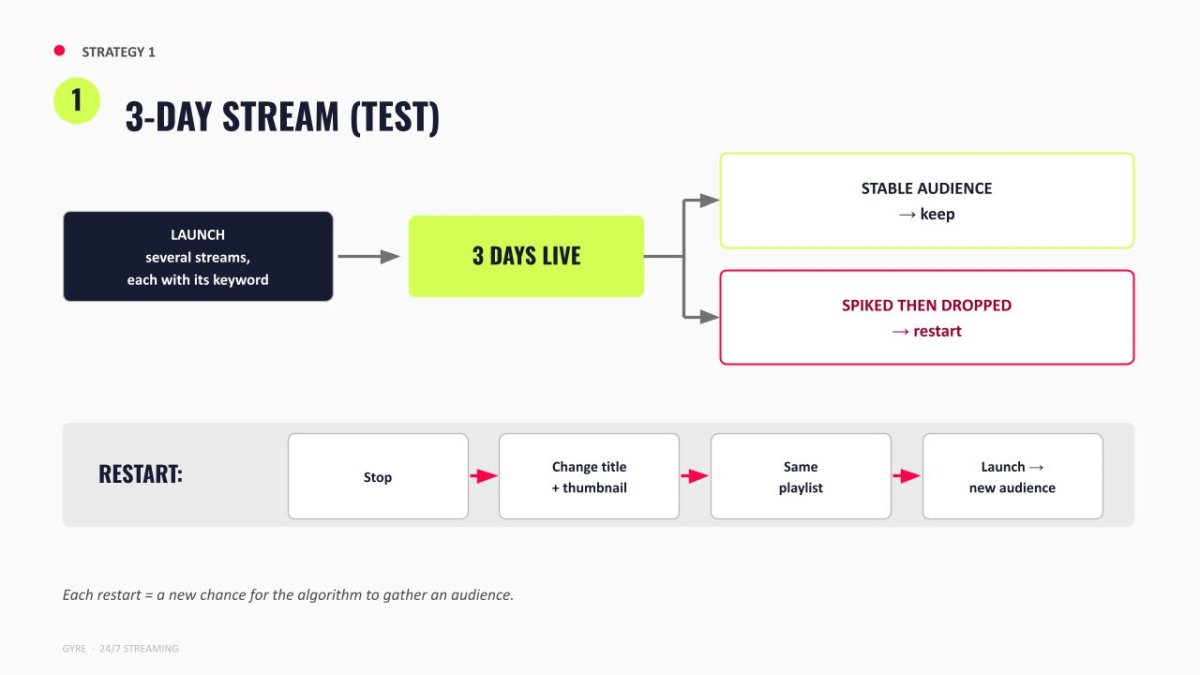
Launch several streams at once, each with its own playlist, keyword, and thumbnail. Three days later, you see what actually works on your channel.
Keep the streams hitting steady views. Restart the ones that spiked and dropped: new title, new thumbnail, same playlist. The algorithm picks up a fresh audience.
You're testing several ideas in parallel, so run multiple Full HD streams rather than a single 4 K stream. Same capacity, more variants.
Strategy 2: The evergreen stream
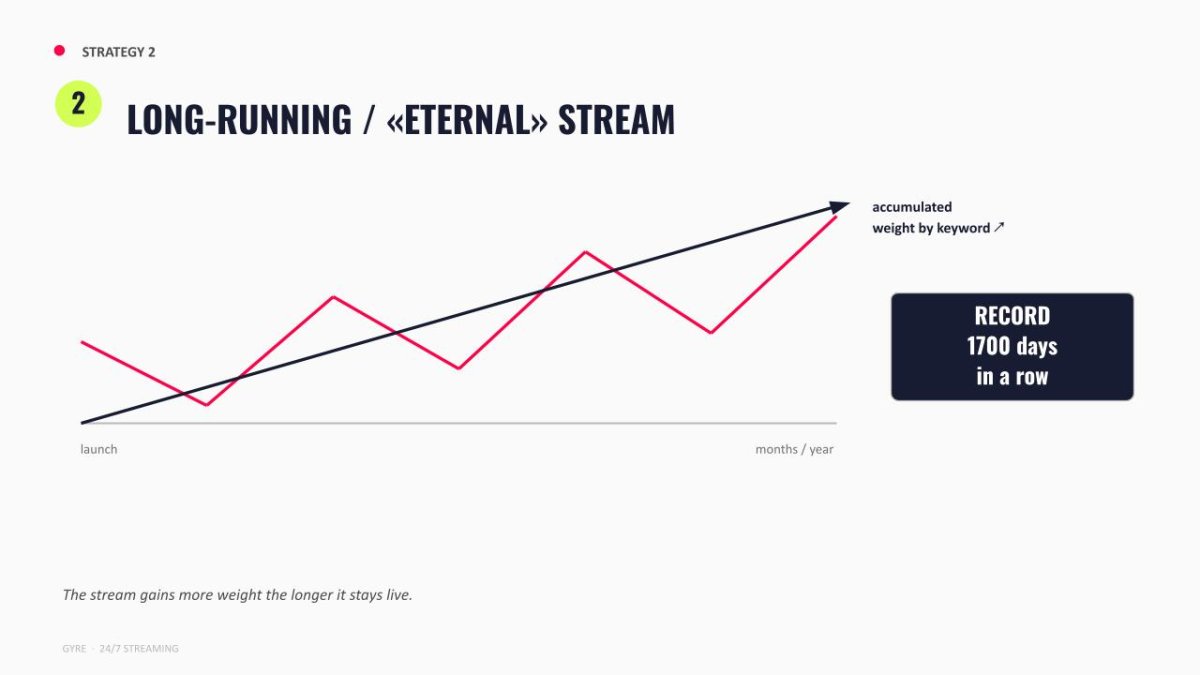
A 24/7 stream that runs for weeks or years without stopping. One Gyre user's stream has been live for over 1,700 days.
The longer it runs, the more weight its keywords build. Even after a dip in views, the trend keeps climbing, and viewers keep finding the stream through search.
You're investing capacity into one stream for the long haul, so 4K makes sense here. Especially if image or sound quality is part of what the audience shows up for.
A music channel running this strategy grew views 8x and revenue 11x in a year. If you want several evergreen streams on different topics at once, mix in Full HD to stretch capacity.
Strategy 3: A long video as a booster
Works for videos 30 minutes and up.
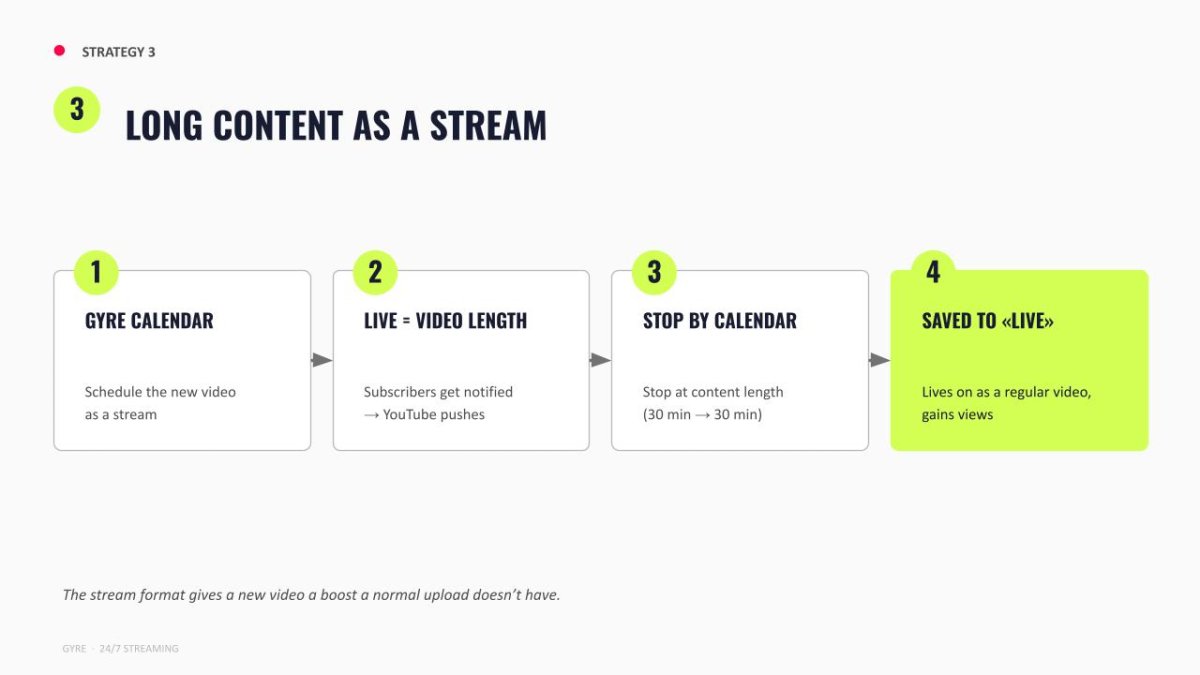
Launch the video as a 24/7 stream with auto-stop through Gyre. YouTube treats it like any live broadcast: subscribers with notifications on receive a push, and it appears in the Live tab and the subscription feed.
When the video reaches the end and the broadcast stops, YouTube automatically converts it into a regular video. Views, comments, and watch time collected during the broadcast all stay with it. From there, it grows organically.
The load on your plan stays light. The slot is used only during the broadcast itself, roughly the length of the video, not permanently. Pick the quality separately for each premiere.
Strategy 4: Redirect traffic to a premiere
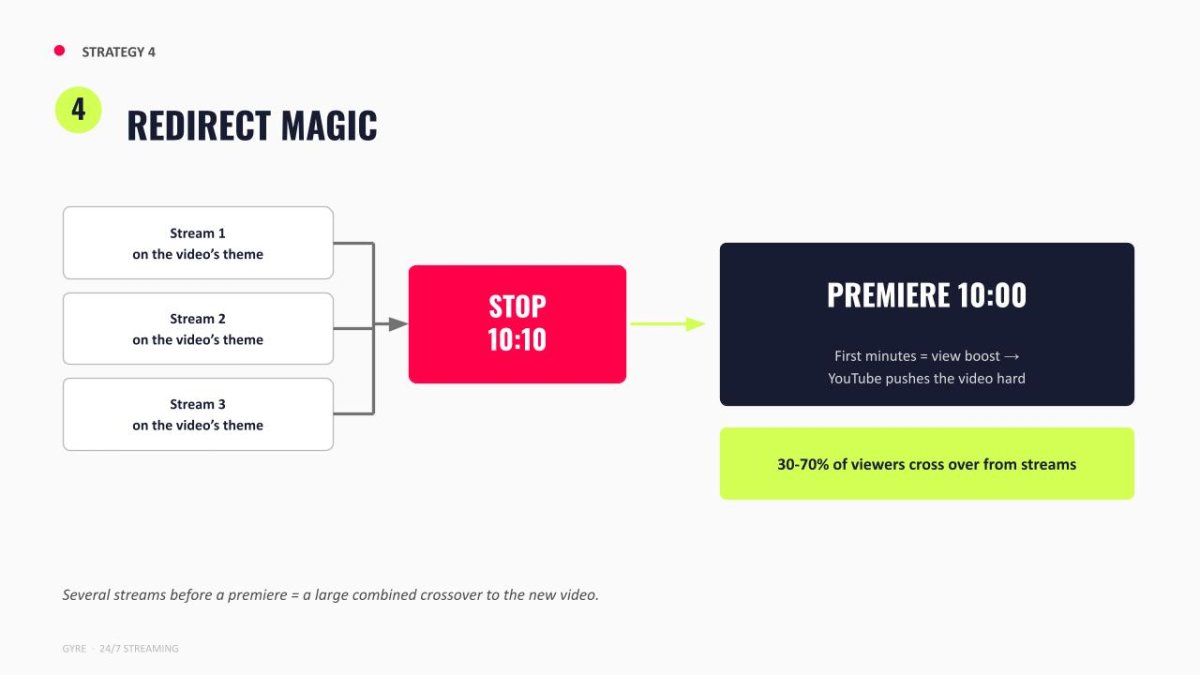
Two or three days before release, launch several Gyre 24/7 streams around the topic of the upcoming premiere. When the premiere starts, these streams stop automatically, and YouTube redirects 30-70% of the stream audience straight to it.
It's a built-in YouTube feature that few creators use on purpose.
The warm-up streams don't need to match the premiere's quality. Releasing in 4K? The warm-up can stay in Full HD. Viewers came for the content, not the resolution.
Setup:
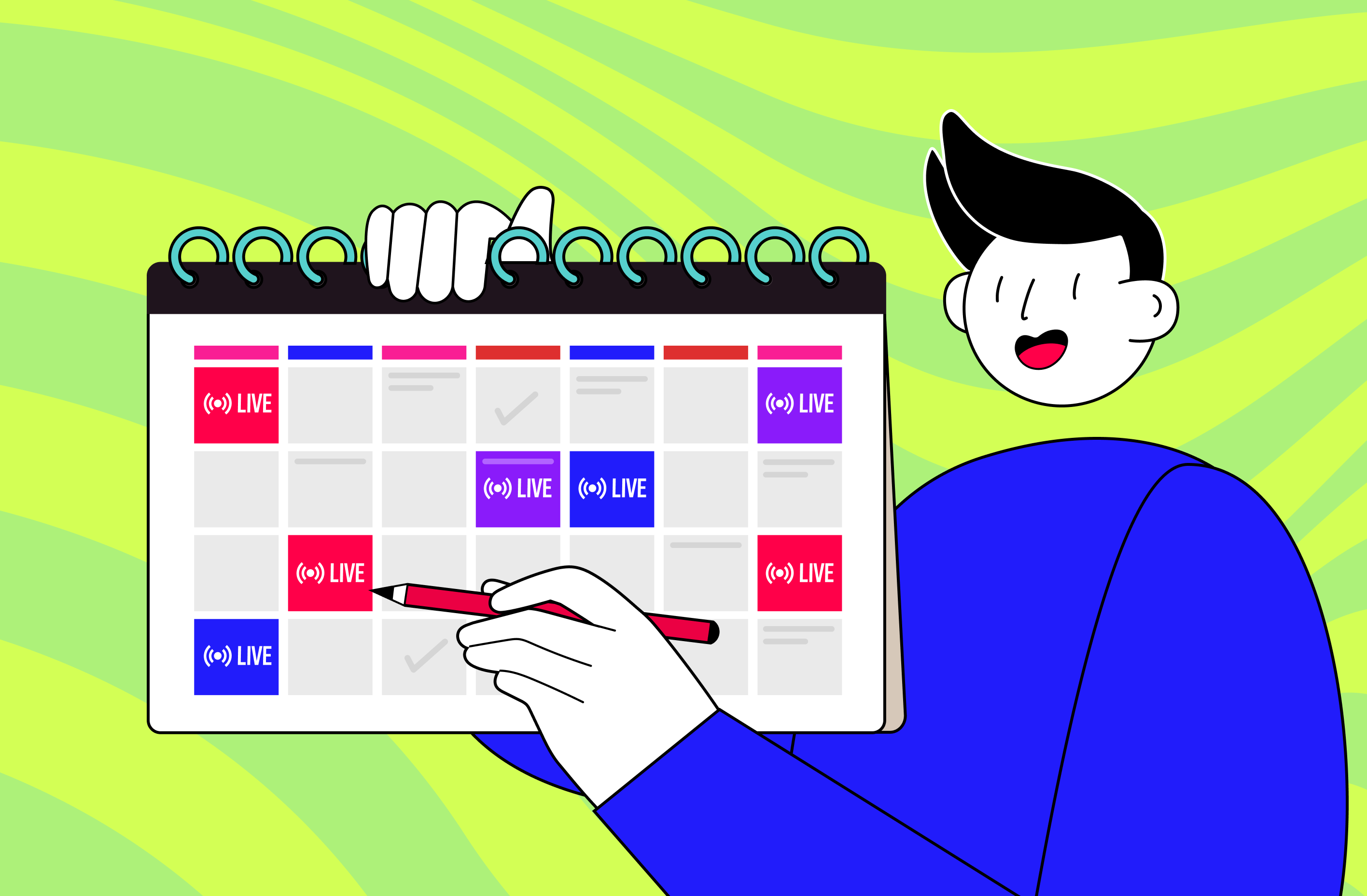
- In Gyre. Schedule the streams in the calendar with auto-stop timed to the premiere.
- On YouTube. Set where viewers go when the stream ends (link it to the premiere), and schedule the premiere for the same moment.
Strategy 5: One piece of content, many search entry points
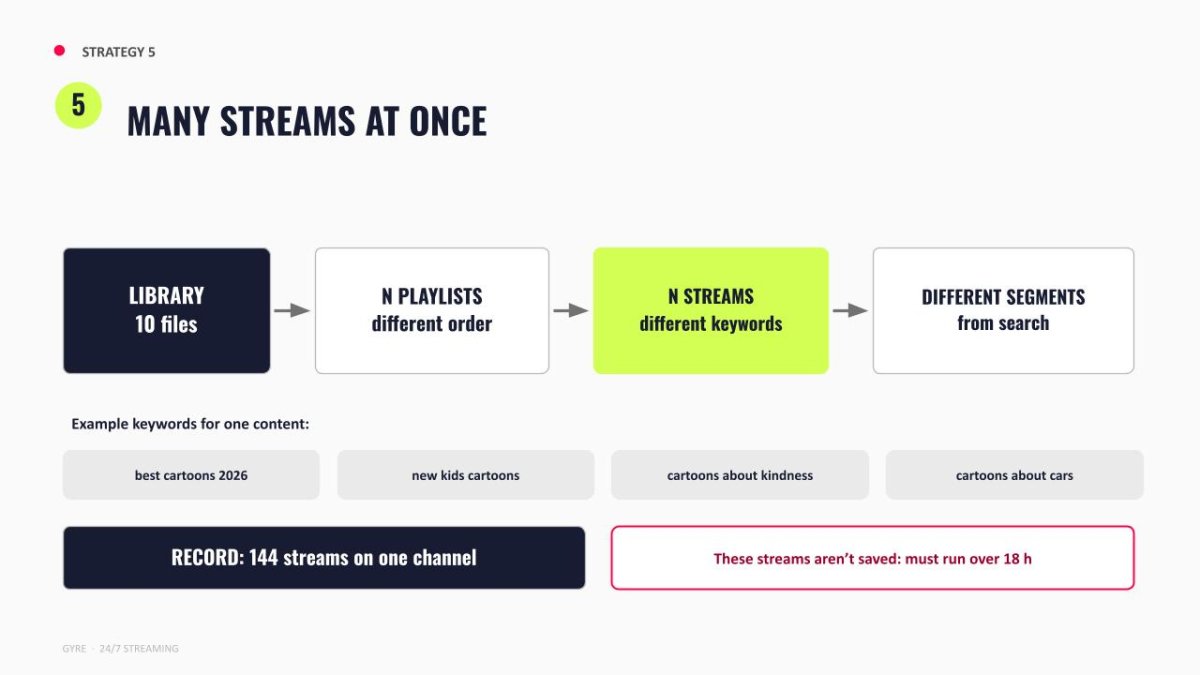
Take the same content and split it across several playlists in different orders. Launch each one as a separate Gyre 24/7 stream with its own keywords. The record on a single channel is 144 simultaneous broadcasts.
The logic is simple: people search for the same thing using different words, and each stream captures a different slice of search.
Quantity matters more than the quality of any single stream. Ten Full HD streams in parallel reach further than two or three in 4K on the same capacity.
Library in 4K, but a specific stream needs Full HD? The Gyre converter prepares the files automatically; no manual work is needed. The reverse doesn't work: you can't upscale Full HD to 4K, since the converter adjusts the format, not the resolution.
Strategy 6: Compilations as a channel asset
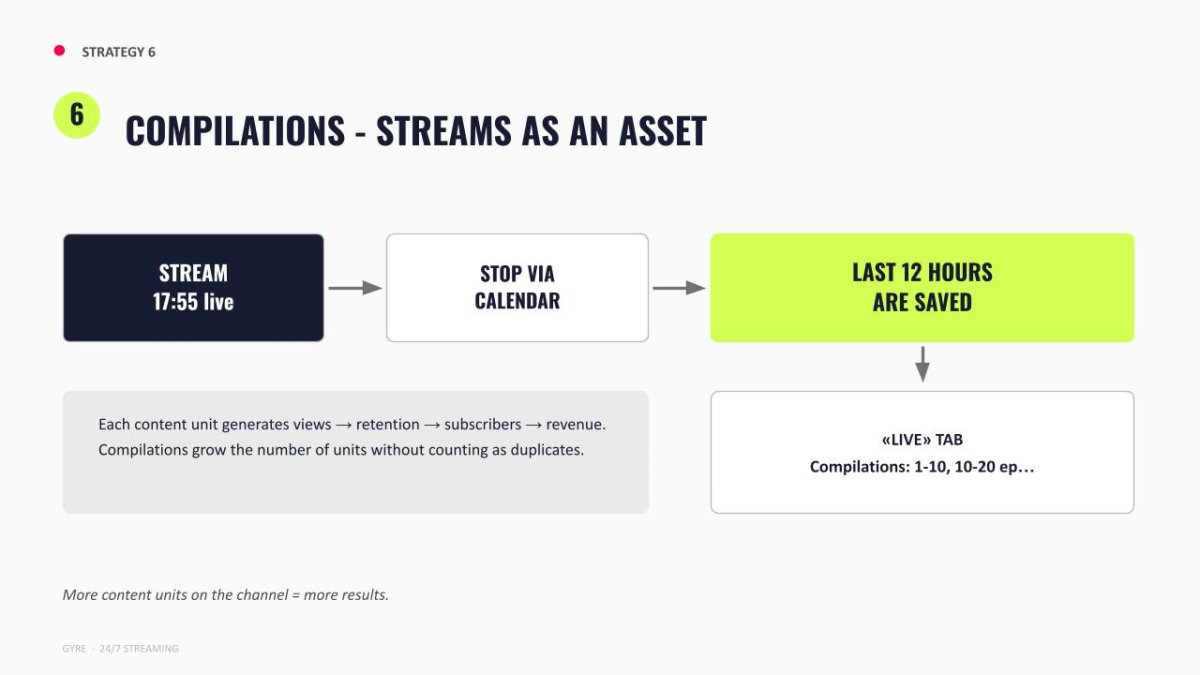
Run a Gyre 24/7 stream for up to 18 hours (17:55 exactly) and stop it. YouTube saves the last 12 hours as a standalone video. The next stream becomes episode 2, and so on. Over time, a series of streams builds into permanent compilations ("episodes 1-10," "episodes 10-20") that YouTube does not flag as duplicates and that continue to pull in views after the broadcast ends.
One thing to note: the saved video is the last 12 hours, but the view stats it inherits cover the full 18-hour broadcast.
This is a long-term play, not a scale-out. You don't need dozens of parallel streams. Plan stable capacity for a few long broadcasts running in rotation. Works best on series-based content, like gaming or serialized formats sitting on top of finished videos.
The StrEat channel launched four of these 24/7 streams alongside their regular uploads. Result: +82% channel revenue, 2x higher RPM.
Strategy comparison
| Strategy | Quality | Approximate starting capacity | Best fit |
|---|---|---|---|
| 3-day test stream | Full HD | 1-8 slots. Any plan | Any niche. Starting point. |
| Evergreen stream | 4K if quality is the value | 4 slots. Start+ and up | Music, entertainment |
| Booster for a new video | Match the video's quality | 1 slot temporarily. Start and up | Long-form, 30+ min |
| Redirect to a premiere | Full HD for the warm-up | 2-4 slots. Start+ and up | Regular releases: music, series |
| Multiple search entry points | Full HD | 8+ slots. Pro+ | Kids, entertainment, music |
| Compilations as an asset | Depends on the series format | 2-4 slots. Start+ and up | Gaming, serialized content |
More examples from real channels can be found in the Gyre case studies.
Ready to try?
Match capacity to the strategy, not the other way around. Full plan and slot list is on the Gyre pricing page. See it in practice: first 7 days free.
FAQ
Can I run several strategies simultaneously on a single channel?
Yes. An evergreen 4K stream plus a few Full HD tests in parallel is just a question of how much capacity your plan has.
Which strategy should a new channel start with?
The 3-day test stream. Cheapest in capacity, and it shows what works on your specific content before you commit slots to long-term formats.
What if a strategy doesn't work?
For short-term strategies, restart with a new title and thumbnail. Or try a different one from the list. One strategy failing on your channel doesn't mean the next one will.
Do I need 4K if my channel is growing?
Not necessarily. Growth usually comes from broader reach, and reach depends more on the number of parallel streams than the quality of any single one. Full HD is often the better bet.